
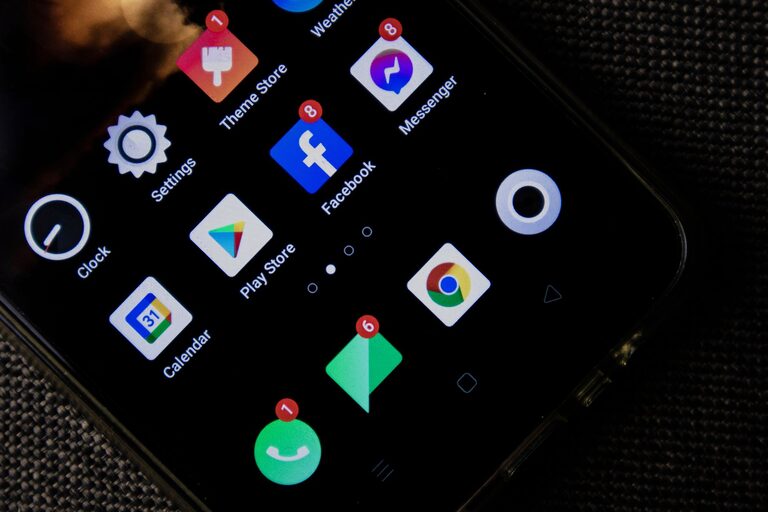
In today’s digital age, notifications are everywhere—from smartphones and computers to smartwatches and tablets. While they help keep us informed and connected, constant alerts can become overwhelming and disruptive. Setting healthy boundaries with notifications is key to maintaining focus, reducing stress, and improving overall well-being. Here are practical tips to help you manage your notifications more effectively.
Why Set Boundaries with Notifications?
Before diving into tips, it’s helpful to understand why controlling notifications matters:
– Minimizes Distractions: Frequent alerts interrupt your workflow and concentration.
– Reduces Stress: Constant buzzing or popping can increase anxiety.
– Improves Sleep Quality: Too many notifications, especially at night, can disrupt rest.
– Increases Productivity: Fewer interruptions mean more time and energy for important tasks.
– Supports Work-Life Balance: Helps separate work alerts from personal time.
1. Audit Your Notifications Regularly
Start by reviewing which apps and devices send you notifications.
– Go through each app and ask: Do I really need to be alerted for this?
– Disable nonessential notifications like promotional emails or social media likes.
– Prioritize alerts from important contacts or apps related to your work or safety.
Perform this audit monthly or quarterly to keep your notifications relevant and manageable.
2. Use Do Not Disturb and Focus Modes
Most devices offer features to silence notifications during specific times or activities.
– Do Not Disturb (DND): Temporarily mute all notifications. You can schedule it for nights or meetings.
– Focus Modes: Customize which apps or people can notify you during work, leisure, or other modes.
Setting these modes helps ensure notifications don’t interfere with focused work, relaxation, or sleep.
3. Customize Notification Settings Per App
Not all apps offer the same notification control, but many allow customization.
– Choose to receive banners, sounds, badges, or none at all.
– Select whether notifications appear on the lock screen.
– Opt for summary notifications that deliver nonurgent alerts at set times.
By tailoring settings, you minimize interruptions while staying informed.
4. Set Specific Times to Check Notifications
Instead of reacting immediately to every alert, designate certain times to review them.
– Check emails or messages only during scheduled breaks.
– Avoid looking at your phone first thing in the morning or right before bed.
– Inform coworkers or family of your availability windows to manage expectations.
This approach reduces the habit of constant checking and promotes better focus.
5. Turn Off Nonessential Notifications Completely
Some notifications add little value and only cause distraction.
– Disable push notifications from apps like games, shopping, or news if they aren’t critical.
– Unsubscribe from unnecessary mailing lists.
– Consider uninstalling apps that frequently interrupt you without meaningful content.
Letting go of these alerts frees mental space and reduces digital noise.
6. Use Notification Summaries or Digests
Several devices and apps offer summary features that collect alerts and present them at convenient times.
– Apple’s Notification Summary groups nonurgent notifications.
– Some email apps provide daily digests instead of individual alerts.
This keeps you updated without constant interrupting pings.
7. Leverage Silent or Vibrate Modes Wisely
Adjust how your device signals notifications based on context.
– Use silent mode during meetings, work sessions, or at night.
– Vibrate can be less disruptive but still alert you.
– Consider visual indicators if a full sound alert isn’t appropriate.
Choosing the right alert type helps balance awareness and disturbance.
8. Communicate Your Notification Preferences
Especially in work settings, clear communication helps others respect your boundaries.
– Let colleagues know when you prefer fewer interruptions.
– Set email auto-replies or status messages indicating your focus times.
– Encourage teams to use task tools or messages appropriately rather than urgent notifications.
Clear expectations reduce pressure to respond immediately.
9. Practice Digital Mindfulness
Develop awareness of how notifications affect your mood and productivity.
– Notice if frequent alerts cause anxiety or reduce focus.
– Reflect on your notification habits and adjust as needed.
– Use apps or tools that track your device usage to gain insight.
Mindfulness helps you create a healthier relationship with technology.
10. Balance Notification Boundaries with Responsiveness
While setting limits is important, staying reachable when necessary is also key.
– Allow notifications from close family or urgent contacts.
– Distinguish between urgent and nonurgent alerts.
– Use emergency bypass features for critical notifications.
Finding this balance supports both connectivity and control.
—
Final Thoughts
Managing notifications is a vital part of digital wellness. By auditing your alerts, using device features like Do Not Disturb, customizing per app settings, and practicing mindful habits, you can create boundaries that protect your focus, lower stress, and improve your quality of life. Remember, notifications should serve you—not control you. Start small, experiment with these tips, and find what works best for your lifestyle.
—
For more tips on productivity and digital well-being, follow our blog and stay tuned for upcoming posts!

Related Posts